Morse Code Video Maker: Export a Flashing Clip for TikTok and Reels
Morse code video maker mode turns your typed words into a downloadable video where a light flashes the code in perfect time with the beeps — no screen-recording, no editing app, no watermark-removal hassle. Want a Morse message you can actually post rather than just play live? You type, the tool renders a clean vertical MP4, and it lands in your downloads ready to drop straight onto TikTok, Reels, or Shorts. This page walks through what it makes and how creators are using it.
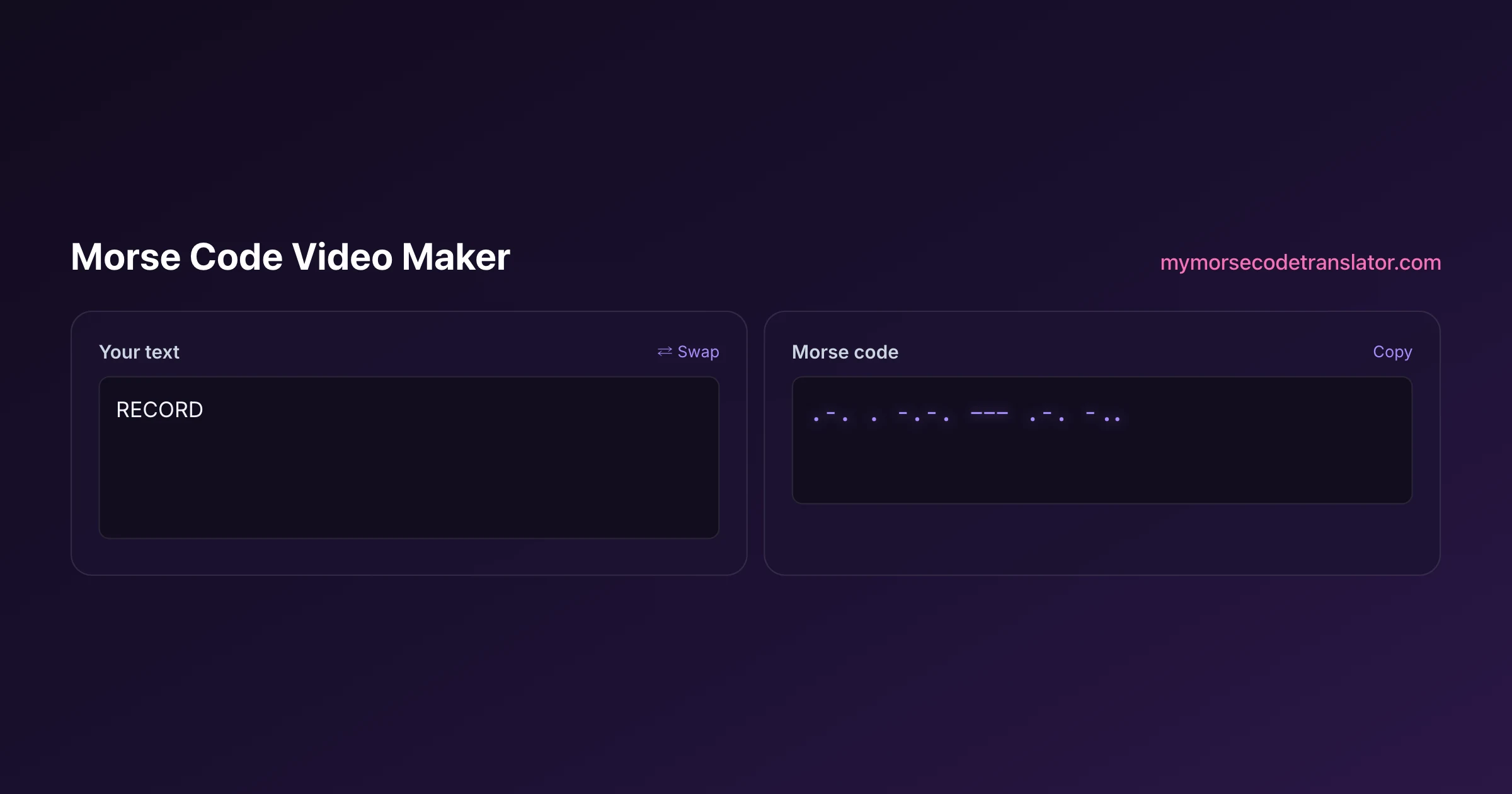
👀 Preview
Press ▶ Play — this shows what you'll see and hear.
Customize your message
Your picture appears in Play and downloaded videos. Note: it can't be included in a shared link — links carry the message only.
Share as a secret message
The message is hidden inside the link and decodes with sound & light when your friend opens it.
Exactly what the file looks like
The export is built for short-form vertical video, so it drops straight into a phone feed with nothing cropped off.
- Resolution: 1080 x 1920, the standard 9:16 portrait frame TikTok, Instagram Reels, and YouTube Shorts all expect.
- Visuals: a bold light that flashes bright for each dot and dash against a dark background, timed to the code.
- Audio: the synthesized dit-dah tones baked into the file, perfectly synced to the flashes.
- Watermark: a small mymorsecodetranslator.com mark in the corner, so viewers who screenshot it know where to make their own.
Because the light and the sound come from the same timing engine, the flash and the beep never drift apart — a problem you'd fight constantly if you tried to line them up by hand in an editor.
Why a video instead of just audio or a live flash
The flashlight and audio tools on this site are great in the moment, but they're live — you can't hand someone a live flash. A video is a file, and a file is shareable, repeatable, and postable.
That unlocks a whole category of uses. You can text a friend a Morse birthday message they decode on their own time. You can post a mystery clip and let your followers race to crack it in the comments. You can add a hidden layer to a video — a message flashing in code that only the sharp-eyed will notice. And because both the visual and the sound carry the same message, someone can decode it by watching the light or by listening to the beeps, whichever they find easier.
How creators are actually using it
Since I added this, the clips people make have been more creative than I expected.
The biggest one is the "decode this" hook: a creator posts a flashing clip captioned "first person to decode this wins," and the comments fill with people working it out letter by letter. Couples make hidden love notes — flashing "I love you" or an anniversary date. Puzzle and ARG accounts drop coded clues into a larger story. Musicians use the beeps as an intro sting. And teachers post short Morse challenges their students decode for homework. The vertical format matters here: a clip built for the feed gets watched, while a landscape video gets scrolled past.
Making one, step by step
The flow is deliberately short so you're not fighting a tool to make a ten-second clip.
Type your message. Set the speed — for a social clip, a medium pace reads well on screen and keeps the video from running too long. Pick the flash color and background if those options suit your vibe. Then hit export and wait a few seconds while your browser renders the frames into an MP4. When it's done, the file downloads straight to your device, and you upload it to whatever app you like. Keep the message short for a punchy clip; a long paragraph makes for a long, blinky video that most people won't sit through.
Speed, length, and readability tradeoffs
The single biggest choice you make is speed, and it pulls in two directions at once.
Fast code makes a short, punchy video — great for the feed's short attention span — but it's genuinely hard to decode from a flashing screen, because viewers can't easily rewind a dot they missed. Slow code is far more decodable, but a long message at a slow pace produces a video most people won't finish. There's a sweet spot, and for social clips it sits at a medium pace with a short message: a single word or two, sent slowly enough that a determined viewer can catch every element on a rewatch.
Rewatchability is your friend here. Unlike a live flash, a video can be paused and scrubbed, so you can lean slightly faster than you would in person and trust that serious decoders will slow the playback down themselves. If your goal is engagement, that's actually ideal: the people pausing and scrubbing frame by frame are the people spending the most time on your clip, which is exactly what every short-form platform rewards. Design for the rewatch, not the first pass.
A word on flashing footage and viewer safety
Any video with a flashing light carries the same responsibility a screen-flash does: fast, bright flashing can trigger seizures in viewers with photosensitive epilepsy.
The Web Content Accessibility Guidelines treat flashing faster than three times a second as the risk threshold. At normal Morse speeds a clip stays well under that, but very fast code with a full-bright flash can approach it. If you're posting to a public feed, it's genuinely kind to add a "flashing lights" note in your caption — most major platforms even offer a photosensitivity warning label you can attach. Keep the speed reasonable and you'll make something fun rather than something that hurts a viewer you'll never meet.
Getting the message decoded on the other end
Half the fun of posting a Morse clip is watching people crack it, so make it crackable.
Keep your first messages short and use real words — "HELLO" or "SOS" or a single name — so decoders get an early win and stay hooked. In your caption or a pinned comment, point people to a decoder so they have somewhere to check their answer; our morse code to English translator and audio translator both do that job. And if you want to raise the difficulty, speed up the code or bury the message inside other footage. The watermark in the corner quietly does marketing for you: every person who screenshots your clip to make their own reply knows exactly where to go.
Why it renders in your browser and not on a server
It would honestly be easier for me to render these videos on a big server somewhere. I deliberately don't, and it's worth explaining why.
When you press export, your own browser draws every frame of the flashing light, generates the tones, and muxes them together into the MP4 locally. Your message never travels to me, which means there's no queue, no upload, no "your video is processing, check back later" email, and nothing of yours sitting in a database I'd have to promise to protect. It also means the tool keeps working the same way whether one person or ten thousand people use it in an hour, because your device does its own work.
The small tradeoff is that a very long message on a slow phone takes a few seconds to render, since your device is doing the encoding a data center would otherwise handle. For the short clips these are designed to be, that wait is trivial — usually gone before you've finished typing your caption. I think a couple of seconds is a fair price for a tool that never sees your words.
Ideas for a clip that actually gets watched
A flashing rectangle by itself is a scroll-past. A little framing turns it into something people stop for. Some patterns that work:
- Open with a text hook on screen for the first second — "only 1% can decode this" — then let the flashing start.
- Overlay the answer as a delayed caption or a second slide, so people who give up still get the payoff and rewatch to check.
- Pair the flash with a trending audio at low volume behind the Morse beeps, so it rides a sound while still carrying the code.
- Make it a series: post one word a day and let followers collect them into a sentence over a week.
- Duet or stitch other people's coded clips with your decoded answer — the format is naturally collaborative.
The common thread is giving the viewer a reason to engage beyond just "here are some blinks." A clear challenge, a payoff, and a short runtime do most of the work; the tool handles the accurate code so you can focus on the hook. And because the export is a plain MP4, nothing stops you from pulling it into a full editing app afterward to add captions, layer footage behind the flash, or splice several coded words into a longer story — the video maker gives you a clean, correctly-timed building block, and what you build on top of it is entirely yours.
If you plan to share flashing clips widely, it is worth skimming the WCAG guidance on flashing content so your videos stay comfortable for every viewer.
The first clip I exported spelled "DECODE ME" and I posted it with no caption explanation. It took a stranger about forty minutes to reply with the right answer in the comments — and three other people had made their own reply-clips using the watermark to find the tool by the next morning.
Frequently Asked Questions
Q. What size is the exported video?
1080 by 1920 pixels — the standard 9:16 vertical frame that TikTok, Instagram Reels, and YouTube Shorts all use. It fills a phone screen with nothing cropped, so you can post it without any resizing or editing.
Q. Does the video have sound?
Yes. The dit-dah Morse tones are baked into the MP4 and synced perfectly to the flashing light, because both come from the same timing engine. A viewer can decode the message by watching the flash or by listening to the beeps.
Q. Is there a watermark?
There's a small mymorsecodetranslator.com mark in the corner. It's unobtrusive and doubles as a signpost — anyone who wants to make their own coded clip knows where the tool is.
Q. Can I post it straight to TikTok or Reels?
Yes. Because it exports as a standard vertical MP4 at the exact resolution those apps expect, you upload it the same way you'd upload any clip from your camera roll. No conversion needed.
Q. How long will my video be?
It depends on your message length and speed. A short word at a medium pace is only a few seconds; a full sentence at a slow pace can run a minute or more. For social clips, keep it short and punchy so people watch to the end.
Q. Is it safe to post a flashing video?
Fast, bright flashing can trigger seizures in photosensitive viewers, so keep the speed reasonable and add a "flashing lights" note to your caption. Normal Morse speeds stay under the roughly three-flashes-per-second risk threshold that WCAG describes.
Q. Does my message get uploaded anywhere?
No. The video is rendered right in your browser on your own device, and the file downloads locally. Your message isn't sent to a server, which keeps the whole thing private.
Q. How do people decode the clip I post?
They can decode by eye or by ear, and check their answer with a Morse decoder. Point followers to one in your caption, keep early messages short and real, and you'll get a comment section full of people cracking it letter by letter.
Related guides
← Back to the My Morse Code Translator home page.

By Sukie
Sukie is the creator of My Morse Code Translator — a puzzle nerd and gadget tinkerer who fell down the Morse code rabbit hole and decided to build the most fun Morse translator on the web. When she's not adding new sound packs or reveal animations, she's decoding hidden messages in songs or designing Morse code bracelets for friends.
Last updated: 2026-07-08