Google Translate Morse Code: What Actually Works
Google translate morse code? It is one of the most natural searches in the world, and the honest answer is that Google Translate does not translate Morse code at all — it handles spoken and written human languages, and Morse is not one of them. What Google does have is a small Morse widget that appears when you search the right words, and it is genuinely handy for a quick conversion. This page lays out exactly what that widget can do, where it stops cold, and what a purpose-built tool adds on top.
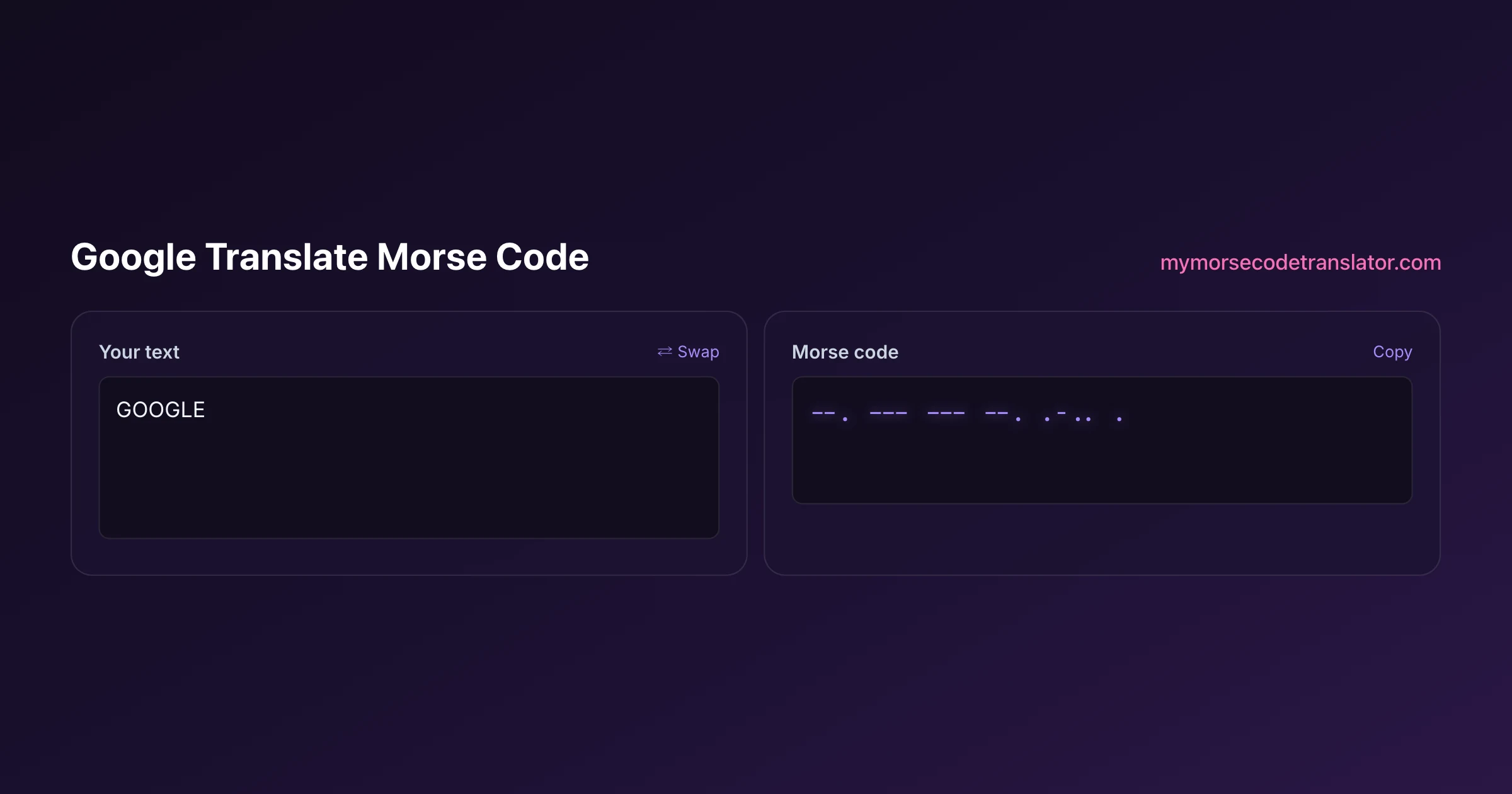
👀 Preview
Press ▶ Play — this shows what you'll see and hear.
Customize your message
Your picture appears in Play and downloaded videos. Note: it can't be included in a shared link — links carry the message only.
Share as a secret message
The message is hidden inside the link and decodes with sound & light when your friend opens it.
So does Google Translate actually do Morse?
No. If you open translate.google.com and scroll the language list looking for Morse code, you will not find it. Google Translate is a machine-translation engine trained on human languages — English, Spanish, Japanese, and roughly a hundred others — where the whole challenge is meaning, grammar, and context. Morse is not a language in that sense at all. It is an encoding: a fixed, one-to-one substitution where each letter becomes a set pattern of dots and dashes. There is no grammar to model and no ambiguity to resolve, so it was never a candidate for Google's translation engine.
This trips people up because "translate" is the word that comes to mind, and Google Translate is the first place anyone thinks to look. But encoding and translating are different jobs. Translating English to Japanese requires understanding what a sentence means. Encoding English to Morse requires only a lookup table. That is why a two-kilobyte web tool can do Morse perfectly while a massive neural translation model does not bother — it is simply the wrong kind of tool for the task.
The Google Morse widget: what it actually is
Here is the part that confuses the search results. Google does have a Morse feature — just not inside Google Translate. If you search for something like "morse code translator" directly in Google, a small interactive box often appears right at the top of the results page, above the normal links. That box is a built-in widget, sometimes labelled with a little dot-and-dash icon, and it lets you type text on one side and see Morse on the other without leaving the search page.
It is a nice piece of engineering and it is easy to miss the distinction: the widget lives in Google Search, not in Google Translate. So when people say "Google translates Morse," what they have actually used is this search widget. The confusion is understandable, and it means the honest answer to the question is really two answers: Google Translate, no; the Google Search Morse widget, yes, within limits. The rest of this page is about those limits, because the widget is deliberately kept simple and there is a lot it was never built to do.
What Google's widget does well
Credit where it is due — for a quick job, the widget is fine, and I use it myself sometimes.
It converts in both directions: type text and get dots and dashes, or paste dots and dashes and get text back. It plays the code as audio through a little speaker button, so you can hear the rhythm. It even has a flash option that blinks the code visually, and a slider to change the speed. For a five-second "what does SOS look like" question, that is genuinely all you need, and having it appear instantly at the top of a search with nothing to load is a real convenience.
So I want to be fair: if your entire goal is to convert a short phrase, hear it once, and move on, the Google widget covers it and you may not need anything else. It is a well-made shortcut. The reason a dedicated tool exists is not that the widget is bad — it is that the widget stops at "convert and play," and Morse becomes a lot more fun the moment you can do more than that with it.
Where the widget stops cold
The Google widget is built to be a quick answer inside a search result, which means it is intentionally minimal. Once you want to actually do something with your Morse — perform it, personalise it, share it, post it — you hit a wall. Here is the honest gap list, the things the Google widget simply cannot do:
- Record your own sound and use it as the Morse beep
- Choose between multiple sound packs or fine-tune pitch and volume
- Show a karaoke or spotlight reveal that lights up each word as it plays
- Flash your own uploaded photo instead of a plain screen
- Export the message as a vertical video for TikTok, Reels, or Shorts
- Download the audio as an MP3 or WAV file
- Decode Morse out of an uploaded image
- Create a shareable link that replays your exact settings on someone else's device
None of these are exotic. They are just past the scope of a search widget, which is meant to answer a question and get out of the way, not to be a creative toy. The next few sections walk through the three of these that people are most surprised the Google widget cannot do.
Recording your own beep, which Google cannot do
The single most fun thing this tool does, and the one that most clearly separates it from Google's widget, is letting you record your own sound and use it as the Morse beep.
Hit record, make any short sound — say your name, hum a note, get your dog to bark — and every dot and dash in your message now plays back as that sound. A serious international code, standardised for over a century, suddenly sends "I love you" in a chorus of your own hiccups. It takes about ten seconds to set up and it is the kind of thing that makes people actually laugh out loud, which is not something a search widget is trying to do.
Beyond your own recordings, there are six ready-made sound packs and full control over speed, pitch, and volume, plus Farnsworth timing that keeps letters crisp while padding the gaps so a beginner can follow. The Google widget gives you one beep at a couple of speeds. This gives you a whole instrument. If you are using Morse to make something — a video, a gift, a game — that difference is the whole point.
Turning a search into a video you can post
Say you searched "google translate morse code" because you wanted to make a mysterious clip for TikTok. The Google widget will show you the dots and dashes and play them, but there is no way to save any of it. You would be stuck screen-recording a search result, which looks exactly as rough as it sounds.
This tool exports a proper vertical MP4 sized for TikTok, Reels, and Shorts, with your customisation baked into the file: the sound pack you picked, the speed you set, the screen-flash if you enabled it, and the word-reveal that lights up the message as it plays. It downloads to your device with a small watermark, ready to post. There is also a karaoke and spotlight mode so viewers can follow which word is being sent at any moment, which turns a mystery rattle into something people can actually read along with.
That is a genuine creative pipeline — search, customise, export, post — and it is well outside what a search-page widget is built to offer. The widget answers your question; the tool helps you make something out of the answer.
The replayable secret link Google has no answer for
Here is the gap I think matters most, because it is about sharing, and sharing is usually where a widget's usefulness ends.
With the Google widget, there is no way to hand someone a message that replays the way you set it up. You can screenshot the dots and dashes, but the recipient just sees static symbols — none of your sound, none of your flash, none of the timing.
This tool wraps your whole message into a single shareable link, and the clever part is what rides inside it. The link carries not just the text but your exact settings: the sound choice, the reveal style, the screen-flash, the timing. When your recipient taps it, the message replays on their device performed the way you built it — including the full-screen flash if you had that on. And it does this with nothing stored on any server; the message and its settings live inside the link itself, in the part after the # that browsers never send anywhere, so I never see it and there is nothing to leak. It is the difference between texting someone a picture of sheet music and sending them a recording of the song. The Google widget can hand over the notes. Only a purpose-built tool can hand over the performance.
Which should you use, and when
Let me end with a straight recommendation, because both tools have a place and you should not overthink it.
Use the Google Search Morse widget when you have a quick, throwaway question: what does a word look like in Morse, what does this string of dots and dashes say, roughly how does SOS sound. It is right there at the top of the results, it needs nothing, and for a ten-second lookup it is perfect.
Use a dedicated translator like this one the moment you want to keep the result: record a custom beep, tune the sound, flash a photo, follow a karaoke reveal, export a video, decode Morse from an image, or send a link that replays exactly as you made it. That is the whole reason this site exists — not to beat Google at a five-second conversion, but to pick up where the widget stops.
One thing both tools get right, and it is worth saying: they use the same underlying code. The letter and number patterns come from the International Morse Code standardised in ITU-R Recommendation M.1677, the same reference documented on Wikipedia's Morse code article and used by amateur radio operators worldwide through bodies like the ARRL. So a message you make here will read identically to one from Google's widget, or from a ham operator's key on the other side of the planet. The dots and dashes are universal. What differs is how much you can do with them — and that is the entire gap this tool was built to fill.
Why Google shows a widget instead of sending you to a site
It is worth understanding what is actually happening when you search for a Morse translator and Google answers the question itself, because it shapes what you can and cannot do next.
Google builds these inline tools for queries where the intent is a single, unambiguous, self-contained conversion — unit conversions, currency, timers, colour pickers, and simple encodings like this one. The reasoning is that if the entire task is "turn this string into that string", making you click through to a page is friction with no benefit.
For a plain text-to-dots conversion, that logic holds and the widget is genuinely convenient. It is fast, it is free, and it requires nothing of you.
Where it stops is anything that is not a pure string transformation. The widget has no concept of speed, so it cannot teach you to copy by ear. It has no concept of output beyond text on screen, so there is nothing to download, nothing to flash, nothing to send. And it has no concept of state, so there is nothing to share with another person that survives the click.
That is the honest division of labour. If you want the dots and dashes and nothing else, the widget is fine and there is no reason to pretend otherwise. If you want the message to make a sound, throw light, become a file, or arrive on somebody else's phone as a small event, you need a tool that treats Morse as something you do rather than something you look up.
I sat down and put the same phrase — "meet me at noon" — through Google's search widget and through this tool side by side on my laptop. Google gave me the dots, dashes, and a beep in about three seconds, which was great. But when I wanted to send my partner the version with our own recorded beep and a photo flashing behind it, the widget had nowhere to go, and that dead end is exactly the moment I usually point people to when they ask why a separate tool is even worth it.
Frequently Asked Questions
Q. Can Google Translate translate Morse code?
No. Google Translate only handles human languages like English and Spanish, and Morse is not in its language list. Morse is a simple letter-to-symbol encoding rather than a language with grammar, so it was never something Google Translate was designed to handle.
Q. Then how do people say Google translates Morse?
They are usually thinking of the Morse widget inside Google Search, not Google Translate. If you search for a Morse translator directly, a small interactive box appears at the top of the results that converts and plays code. That is a search feature, separate from Google Translate.
Q. What can Google's Morse widget do?
It converts text to Morse and back, plays the code as audio, has a basic flash option, and lets you change speed. For a quick lookup it works well. It stops there, though — it is built as a fast answer, not a full creative tool.
Q. What can this tool do that Google's widget cannot?
Record your own sound as the beep, use six sound packs with pitch and volume control, show a karaoke or spotlight word reveal, flash your own photo, export a TikTok-ready video, download MP3 or WAV, decode Morse from an image, and share a link that replays your exact settings.
Q. Is the Morse code the same in both tools?
Yes. Both rely on the international standard defined in ITU-R M.1677, the same one documented on Wikipedia and used by ham operators worldwide. A message made here reads identically to one from Google's widget — the difference is what you can do with it, not the dots and dashes themselves.
Q. Can I share a Morse message the way I hear it?
Yes, with the secret link. It packs your message and your exact settings — sound, reveal, and flash — inside the URL, so tapping it replays the message on the recipient's device as you built it. Nothing is stored on a server. Google's widget has no equivalent to this.
Q. Should I still use Google's widget sometimes?
Absolutely. For a quick, throwaway conversion it is faster than opening anything else, since it appears right in the search results. Reach for a dedicated tool when you want to keep, customise, perform, or share the result rather than just glance at it.
Related guides
← Back to the My Morse Code Translator home page.

By Sukie
Sukie is the creator of My Morse Code Translator — a puzzle nerd and gadget tinkerer who fell down the Morse code rabbit hole and decided to build the most fun Morse translator on the web. When she's not adding new sound packs or reveal animations, she's decoding hidden messages in songs or designing Morse code bracelets for friends.
Last updated: 2026-08-07