English to Morse Code Translator
This english to morse code translator does one thing extremely well: you type ordinary English, and it hands back tidy dots and dashes you can copy, play out loud, or flash. Fastest way to use it? Paste your text into the box above, and the encoded signal appears live as you type. No sign-up, nothing leaves your browser, and every space between words becomes a proper gap so the message actually reads correctly on the other end.
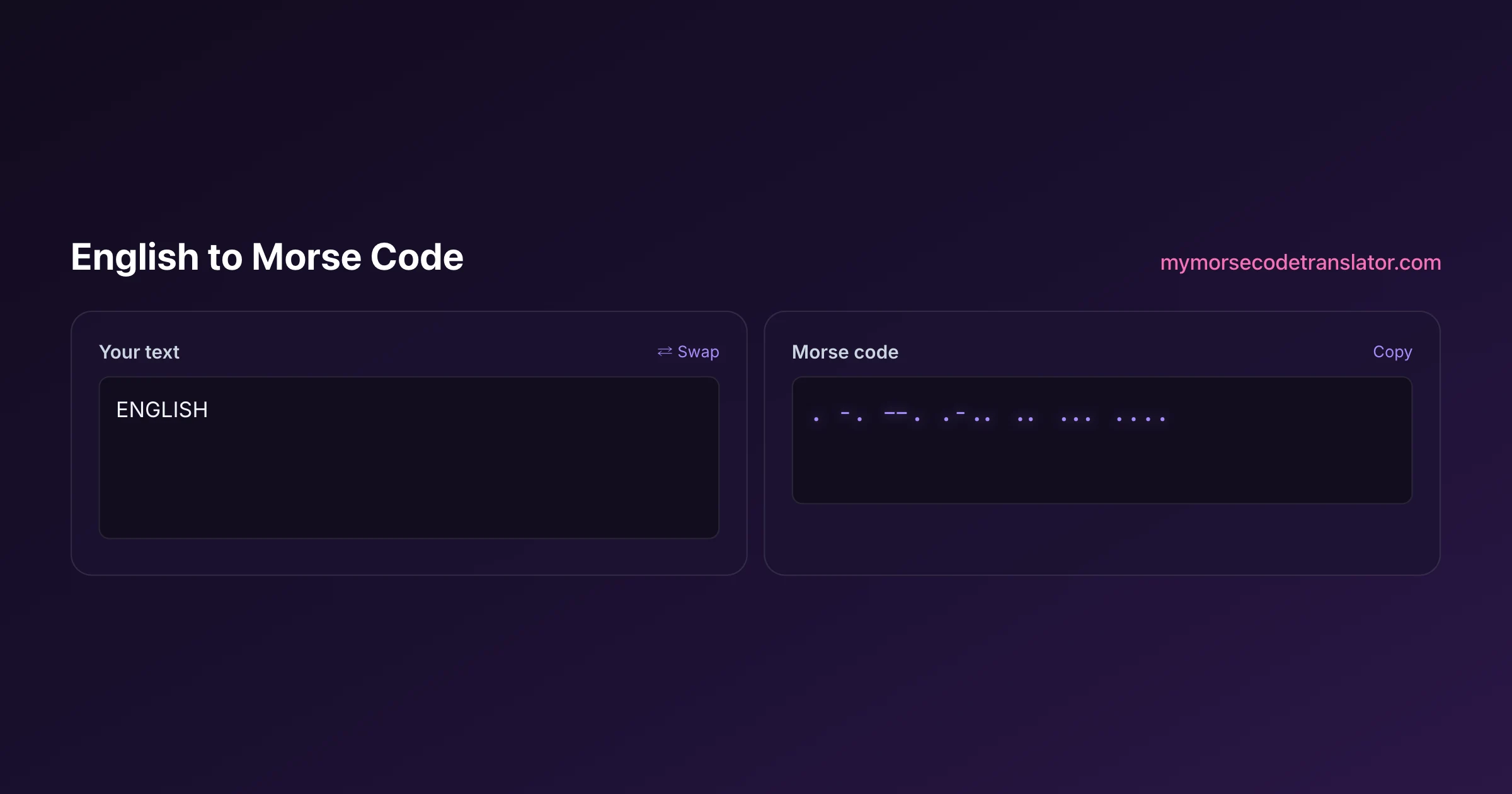
👀 Preview
Press ▶ Play — this shows what you'll see and hear.
Customize your message
Your picture appears in Play and downloaded videos. Note: it can't be included in a shared link — links carry the message only.
Share as a secret message
The message is hidden inside the link and decodes with sound & light when your friend opens it.
The fastest way to encode a sentence
Here is the whole workflow in three moves. Type or paste your English into the input, watch the dots and dashes build in real time, then hit copy. That is it. Because the encoding happens character by character as you type, you can experiment: delete a letter, add an exclamation mark, change the capitalisation, and the output updates instantly.
A couple of things worth knowing so your first message looks right. Morse does not care about upper or lower case, so "HELLO", "Hello" and "hello" all produce the identical signal. It does care about spacing: a single space between letters and a longer gap between words is what makes "SOS ME" different from "SOSME". The tool inserts a slash (/) or a wider space between words for you, which is the convention most people use when they write Morse down on paper.
If you plan to actually send the message by sound or light rather than just look at it, use the play button. Hearing the rhythm is the single best way to catch a mistake, because a wrong dash sounds obviously wrong long before your eyes spot it in a wall of dots.
How English letters map to dots and dashes
Every English letter has a fixed pattern of short signals (dots, spoken as "dit") and long signals (dashes, spoken as "dah"). Samuel Morse and Alfred Vail built the code so the most common English letters got the shortest patterns, which is genuinely clever: E, the most frequent letter in English, is a single dot, and T is a single dash. Rare letters like Q and Y are four symbols long.
Here is the full alphabet the translator uses:
- A .- B -... C -.-. D -.. E . F ..-.
- G --. H .... I .. J .--- K -.- L .-..
- M -- N -. O --- P .--. Q --.- R .-.
- S ... T - U ..- V ...- W .-- X -..-
- Y -.-- Z --..
Digits are always five symbols long and follow a neat pattern: 1 is .---- and each following number swaps one more dot for a dash until 5 (.....), then it reverses, so 0 is -----. Once you notice that, you rarely need to look numbers up again.
Punctuation and the characters people forget
Plain letters are the easy part. Punctuation trips up most first-timers because these codes are longer and less intuitive. The translator handles the common ones so you do not have to memorise them:
- Full stop .-.-.- Comma --..-- Question mark ..--..
- Apostrophe .----. Slash -..-. Exclamation -.-.--
- Colon ---... Equals -...- At sign .--.-.
The @ sign is the newest addition to standard Morse, added by the ITU in 2004 so people could send email addresses. It is actually the letters A and C run together (.--.-.), chosen because it looks like the a-in-a-circle shape. If you type a character the code has no symbol for, the translator simply skips it rather than inventing something, so your output stays honest.
Why timing matters even when you only read it
You might think reading Morse silently means timing is irrelevant, but the gaps are half the language. In standard Morse a dot is one unit of time, a dash is three units, the gap between symbols inside a letter is one unit, the gap between letters is three units, and the gap between words is seven units. Those ratios are why a slash between words in written Morse maps to a real, hearable pause when you play it.
When you use the play button, the translator honours those ratios so the audio you hear is technically correct, not just "beep beep beep". If you slow the speed down, every gap stretches proportionally, which is exactly how the Farnsworth method teaches beginners: keep the letters crisp but pad the spaces so your brain has time to decode.
Those same ratios are why written Morse can look deceptively cramped. On the page a dot and a dash are just two symbols the same width apart, but in time a dash lasts three times as long as a dot and a word gap lasts seven times as long as a symbol gap. That mismatch between how Morse looks and how it sounds is the single biggest thing beginners trip over. The moment you hear an encoded sentence played back, the structure that seemed invisible on paper becomes obvious in your ears: the letters clump, the words separate, and the whole thing gains a rhythm. This is also why two messages with the identical dots and dashes but different spacing mean completely different things, and why the translator is careful to encode your word breaks as real gaps rather than dropping them. Get in the habit of listening to what you encode, even once, and you will start catching spacing mistakes you would never have spotted by eye alone.
Common uses for an English-to-Morse conversion
People reach for this tool for wildly different reasons, and it is fun to see the range. Hobbyists building a ham-radio habit use it to check their fist against a known-good reference before keying a real transmitter. Teachers turn spelling words into signals for a classroom code-breaking game. Couples encode private little notes, which is why "I love you" (.. / .-.. --- ...- . / -.-- --- ..-) is one of the most-copied phrases on the whole site.
Crafters use it too. A translated word becomes the pattern for a beaded bracelet, an engraving, or a tattoo, where filled circles are dots and bars are dashes. If that is you, translate the word first, screenshot the output, and take it to your maker of choice. Just double-check the spelling before anything permanent, because Morse cannot fix a typo you carve in metal.
Turning your encoded message into something real
Encoding is only step one; the fun is in what you do with the dots and dashes afterward. Once your message is in the box, you have several ways to actually send it, and each suits a different situation.
- By sound: play the audio, or tap it out on a table, a cup, or a friend's shoulder. Short signal for a dot, long for a dash, and pause between letters.
- By light: flash a torch or your phone screen, brief flash for a dot, long flash for a dash. This is how ships signalled each other for a century.
- By writing: copy the dots and dashes into a card, a tattoo design, or a beaded bracelet, where a small bead is a dot and a long bead a dash.
- By radio: if you are a licensed ham, use the encoded text as a crib sheet while you practise sending on a real key.
The encoding stays identical no matter which channel you choose, which is the quiet beauty of Morse: one signal, many ways to carry it. I have sent the same three-word message as a torch flash across a campsite and, weeks later, as a line of beads on a keyring, and it was the exact same dots and dashes both times.
Accuracy, privacy, and the reference behind it
The letter and number tables this translator uses are the International Morse Code defined in ITU-R Recommendation M.1677, the same standard used by amateur radio operators worldwide and documented in detail on Wikipedia's Morse code article. That means what you encode here will be understood by a ham operator in Tokyo, a scout troop in Ohio, or a maritime museum volunteer, because they are all reading from the same book.
On privacy: the conversion runs entirely in your browser using JavaScript. Your text is never uploaded, logged, or sent to a server, which matters if you are encoding something personal. Close the tab and it is gone. That design choice is deliberate, because a translator you cannot trust with a love note is not much of a translator.
It is worth pausing on why that browser-only approach is possible here when so many tools insist on sending your data off to a server. Encoding English into Morse is a straightforward character-by-character lookup, light enough that your phone or laptop can do the whole job in a fraction of a millisecond without any help from the cloud. There is simply no technical reason to upload your text, so this translator does not. The result is a tool that is faster (no round-trip to wait for), more private (nothing leaves the device), and more reliable (it keeps working on a patchy connection) all at once. Good privacy and good performance usually pull in the same direction, and Morse encoding is a lovely little example of it.
What happens to characters English uses but Morse does not
English text contains a good deal that International Morse has no symbol for, and knowing what the translator does with it saves confusion when the output looks shorter than you expected.
Case is discarded. Morse has no capitals. HELLO and hello produce identical output, which means any emphasis carried by capitalisation is lost. If it matters, say so in words.
Some punctuation exists, much does not. Full stop, comma, question mark, apostrophe, slash, brackets, colon, semicolon, plus, minus, equals, quotation mark, at sign and dollar all have standard patterns. Asterisks, hashes, percent signs, curly quotes and em dashes do not — a curly apostrophe in particular catches people out, because it looks identical to the straight one on screen but is a different character underneath.
Emoji and non-Latin characters have no equivalent in the international standard at all.
This translator marks anything it cannot convert rather than silently dropping it, which is deliberate. A quietly shortened message is far worse than a visible gap, because you cannot see that something went missing until the other end asks what you meant. If you spot an unconverted character, either replace it with something in the standard set or accept that it will not survive the trip.
The practical habit: paste your text, glance at the output for anything flagged, and fix it before you send, engrave or record.
The first time I encoded my own name and played it back, I keyed along on the desk with a pencil and realised my mental rhythm for J was completely wrong — I'd been holding the last dash too short for years. Hearing it slowed to 8 WPM fixed a habit no chart ever had.
Frequently Asked Questions
Q. Does the english to morse code translator handle capital letters differently?
No. Morse code has no concept of upper or lower case, so "HELLO" and "hello" produce identical dots and dashes. If you need to signal that a letter is capitalised, you would have to spell that out in words, which almost nobody does in practice.
Q. What happens to emojis or symbols with no Morse equivalent?
The translator quietly skips any character that has no standard Morse code, such as most emojis, the pound sign, or the ampersand's rarer variants. This keeps your output clean and readable instead of littering it with placeholder junk.
Q. How is a space between words shown?
Words are separated by a forward slash (/) or a wider gap, matching the convention used in written Morse. When you play the audio, that separator becomes a seven-unit pause, which is the officially correct gap between words.
Q. Can I hear the message instead of just reading it?
Yes. Press play and the translator generates the tones with correct dot, dash, and gap timing. Hearing your message is the quickest way to catch an error, and it is also how most people start training their ear for real Morse.
Q. Is my text sent anywhere?
No. Everything runs locally in your browser. Your English text and its Morse translation never touch a server, so you can safely encode private notes, passwords hints, or surprise messages without worrying about logs.
Q. How do I write numbers and dates?
Just type them normally. Digits 0 through 9 each have a five-symbol code, and the translator inserts them automatically. A date like "07 08" becomes two groups of five-symbol numbers separated by a word gap.
Q. Why does my long word look like an unbroken string of dots?
It only looks that way at a glance. Look for the single spaces separating each letter's pattern. If you find them hard to see, slow the audio down or switch to a monospace font, where the letter gaps line up cleanly.
Q. Can I reverse it and turn Morse back into English?
Yes, use the companion morse code to english translator. Paste dots and dashes there and it returns readable text, which is handy for checking that a message you encoded here decodes back to exactly what you meant.
Related guides
← Back to the My Morse Code Translator home page.

By Sukie
Sukie is the creator of My Morse Code Translator — a puzzle nerd and gadget tinkerer who fell down the Morse code rabbit hole and decided to build the most fun Morse translator on the web. When she's not adding new sound packs or reveal animations, she's decoding hidden messages in songs or designing Morse code bracelets for friends.
Last updated: 2026-07-08