Morse Code Audio Translator
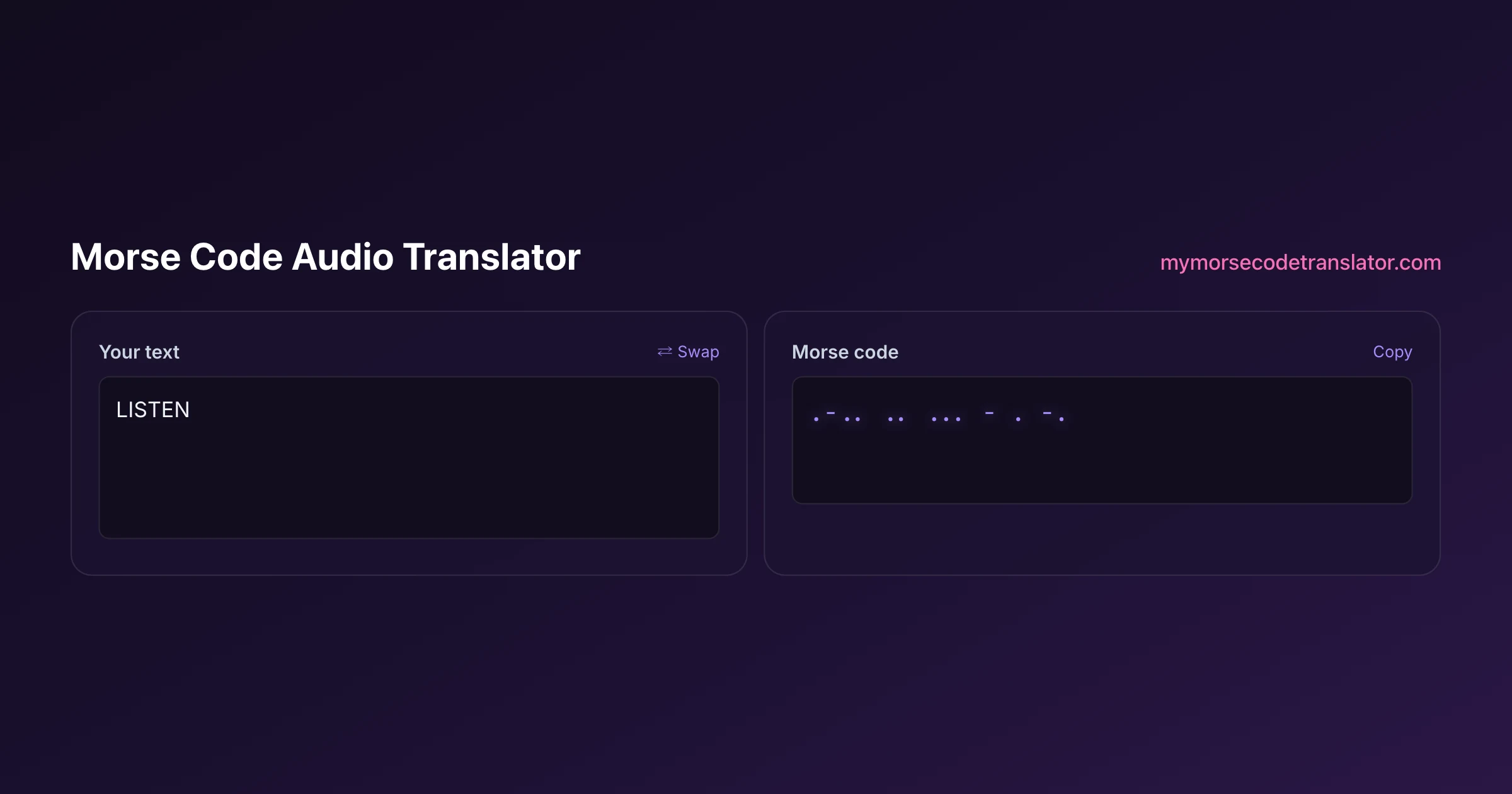
A morse code audio translator turns dots and dashes into sound and sound back into dots and dashes. It is the difference between looking at Morse and actually hearing it the way an operator does. Type a message and press play to hear correctly timed tones, or slow the speed right down to train your ear one letter at a time. Everything runs in your browser using the Web Audio API, so there is nothing to install and no audio ever leaves your device.
👀 Preview
Press ▶ Play — this shows what you'll see and hear.
Customize your message
Your picture appears in Play and downloaded videos. Note: it can't be included in a shared link — links carry the message only.
Share as a secret message
The message is hidden inside the link and decodes with sound & light when your friend opens it.
The night the beeping finally made sense
I remember sitting in a dark room at about 1 a.m., headphones on, replaying the same six-letter word maybe forty times. On paper I could decode Morse fine. By ear I was hopeless, because a printed dash and a heard "dah" felt like two unrelated things. Then I dropped the speed to 10 words per minute with wide gaps, and something clicked: the rhythm of the letter, not the count of the symbols, was the thing to memorise. That is the whole reason an audio translator exists. Charts teach you shapes. Sound teaches you Morse.
If you have only ever read dots and dashes, do yourself a favour and press play on a familiar word right now. Hearing "your name" in tones for the first time is a small but genuine thrill, and it rewires how you think about the code.
How the audio is generated
Under the hood, playback uses an oscillator that switches on for a tone and off for silence, following the strict Morse timing ratios. A dot is one time unit of tone, a dash is three units, the gap inside a letter is one unit of silence, the gap between letters is three units, and the gap between words is seven units. Get those ratios right and the audio sounds like real Morse; get them wrong and it sounds like a broken smoke alarm.
The pitch you hear, usually somewhere between 600 and 800 Hz, is called the sidetone. Radio operators pick a pitch that cuts through noise without being fatiguing, and around 700 Hz is the classic comfortable choice. This translator lets you nudge the pitch so you can find the tone your own ear locks onto most easily, which genuinely varies from person to person.
Speed, WPM, and the Farnsworth trick
Morse speed is measured in words per minute, and by long-standing convention the reference word is PARIS, because keying PARIS with all its gaps takes exactly 50 time units. So 20 WPM means you send the equivalent of PARIS twenty times a minute. That standard, used by the ARRL and ham operators everywhere, is why two operators can agree on a speed and actually mean the same thing.
For learning, raw WPM is a trap, because slow letters teach you to count symbols instead of recognising rhythm. The fix is Farnsworth timing: keep each letter played at a brisk speed like 18 WPM so its rhythm is correct, but stretch the gaps between letters so the overall pace is gentle. Your ear learns real letter-shapes from day one, and you close the gaps as you improve. If the translator lets you set character speed and overall speed separately, that is Farnsworth, and it is the fastest known way in.
Decoding Morse you hear
Going the other direction, from sound to text, is harder than it looks, and honesty matters here. Decoding a clean, computer-generated tone is straightforward: the translator detects when the tone is on versus off, measures the lengths, and maps them to dots, dashes, and gaps. Decoding a human fist or a noisy radio recording is genuinely difficult, because people send imperfect timing and background hiss blurs the edges of each tone.
So the realistic advice is this. If you are trying to catch a live signal, the most reliable method is still your own ear plus a pencil: jot the dots and dashes as you hear them, then paste them into the text decoder. Automatic audio decoding shines on clean sources and struggles on messy ones, and any tool that promises flawless decoding of a crackly shortwave recording is overselling.
Getting a usable recording
If you do want to feed audio to a decoder, the quality of your recording decides everything. A few practical tips from too many failed attempts:
- Get the tone as clean and steady as possible; a wobbling pitch confuses the detector
- Keep the volume consistent so the on/off threshold is easy to find
- Cut out long silences at the start and end so the tool is not measuring empty air
- Match the decoder's expected speed range; a 40 WPM burst decoded as 10 WPM turns every dash into a dot
Even with all that, treat automatic results as a first draft to sanity-check, not gospel. The cleaner your source, the closer that first draft is to correct.
Why audio is the best way to learn
There is a reason the military, the airlines' old radio ranges, and every ham-radio licensing tradition taught Morse by sound rather than by sight. Reading dots and dashes engages the wrong part of your brain; you decode it like a cipher, slowly and consciously. Hearing it lets you build automatic pattern recognition, the same way you recognise a friend's voice without analysing the syllables.
The Koch method leans hard into this: you start learning just two letters at full target speed by ear, add a new letter only once you can copy the current set at 90 percent accuracy, and never slow the letters down. It feels intense, but people reach real conversational speed far faster than with any "start slow and speed up" approach. An audio translator is the practice partner that makes Koch possible without a human sending to you.
There is a physiological reason sound wins that is worth appreciating. When you read dots and dashes, you engage the visual, deliberate, symbol-processing part of your brain, the same part you use to work through a maths problem, and it is slow by design. When you hear Morse repeatedly, you build a direct sound-to-meaning association in the auditory system, the same fast, automatic pathway that lets you understand speech without consciously parsing it. That is why experienced operators can hold a conversation, take notes, and even sip coffee while copying code at thirty words per minute: for them the sounds have stopped being a puzzle to solve and become a language to hear. No amount of staring at a chart builds that pathway, because a chart only ever trains the slow visual route. The audio translator exists precisely to feed the fast one, which is why even ten minutes a day of active listening moves you forward faster than an hour of memorising tables ever could.
Reading the sound: dit, dah, and rhythm words
Operators do not think in dots and dashes when they listen; they think in sounds and rhythms, and adopting that vocabulary early makes the audio click faster. A dot is spoken 'dit' (or 'di' when it is not the last sound of a letter), and a dash is 'dah'. So A (.-) is 'di-dah', N (-.) is 'dah-dit', and S (...) is 'di-di-dit'. Say them out loud with the tones and your mouth starts to memorise what your ear is learning.
Many learners lean on rhythm words, little mnemonics that match a letter's cadence. The classic is 'dah-di-dah-dit' for C sounding like the start of a song, or the four dahs of the number 0 feeling like a long slow roll. The ARRL and generations of code-practice tapes have used these crutches, and while purists eventually drop them, they are a perfectly good scaffold while the raw sounds are still foreign. What you must avoid is the trap of translating each letter to dots and dashes on paper in your head and then to a letter, that two-step detour caps your speed forever. The goal the audio pushes you toward is hearing 'di-dah' and thinking 'A' with nothing in between, the same way you hear a spoken word without spelling it.
The reason this works is that Morse at speed is genuinely a language of sound, not of written symbols. Once 'dah-di-dah-dit' simply is C to you, the way a bark simply is a dog, you are reading Morse rather than decoding it, and an audio translator is the only practice partner that trains that instinct.
Privacy and offline use
Because the audio engine runs locally in your browser, your messages and any playback happen entirely on your device. Nothing is uploaded, nothing is recorded on a server, and once the sound plays it is gone. That also means the translator keeps working if your connection drops mid-session, which is oddly reassuring when you are practising on a train. The only thing leaving your device is the sound coming out of your speakers, and that part is up to you and your neighbours.
That offline-friendly, local-only design is not an accident; it is what makes an audio translator genuinely useful as a daily practice tool. Learning Morse rewards short, frequent sessions far more than rare long ones, and the places you have a spare ten minutes, a bus, a queue, a lunch break, are exactly the places a flaky connection would otherwise sabotage you. Because the tone generation lives entirely in your browser once the page loads, you can drill a few letters anywhere without worrying about signal, and nothing you practise is ever logged or shared. It is a small design decision that quietly removes every excuse not to practise.
On my old iPhone SE, playback through the tiny built-in speaker made dots and dashes hard to tell apart at 20 WPM, but the same message through cheap wired earbuds was crystal clear. If a message sounds mushy, it is almost always the speaker, not the timing — switch to headphones before you blame the tool.
Frequently Asked Questions
Q. Can this morse code audio translator decode a recording from my radio?
It can attempt it, and it does well on clean, steady tones. On noisy or hand-sent signals the accuracy drops, because background hiss and inconsistent timing blur the edges the detector relies on. For messy sources, copying by ear onto paper and pasting the dots and dashes into the text decoder is still more reliable.
Q. What pitch should I set the tone to?
Somewhere between 600 and 800 Hz suits most people, with about 700 Hz being the classic operator's choice. The right pitch is simply the one your ear locks onto most easily, so try a few and pick whatever cuts through comfortably without tiring you out.
Q. What does WPM mean and how is it measured?
WPM is words per minute, measured using the reference word PARIS, which takes exactly 50 time units to send with all its gaps. So 20 WPM equals sending PARIS twenty times a minute. It is the standard the ARRL and operators worldwide use so everyone means the same speed.
Q. Why do my letters sound wrong at slow speeds?
Because slowing the letters themselves teaches you to count symbols instead of hearing rhythm. Use Farnsworth timing instead: keep letters fast, around 18 WPM, and stretch only the gaps between them. The letter shapes stay correct while the overall pace stays gentle.
Q. Do I need to install anything?
No. The tool uses the Web Audio API built into modern browsers, so it works on desktop and mobile with nothing to download. If you can visit the page, you can play and hear Morse.
Q. Can I use it offline?
Once the page has loaded, the audio generation runs locally, so brief connection drops will not stop playback. It is a handy practice tool for commutes and other places with patchy signal.
Related guides
← Back to the My Morse Code Translator home page.

By Sukie
Sukie is the creator of My Morse Code Translator — a puzzle nerd and gadget tinkerer who fell down the Morse code rabbit hole and decided to build the most fun Morse translator on the web. When she's not adding new sound packs or reveal animations, she's decoding hidden messages in songs or designing Morse code bracelets for friends.
Last updated: 2026-07-08