Morse Code Translator App vs a Free Web Tool
Morse code translator app searches almost always end at the App Store, where most people go hunting the second they need dots and dashes — and then comes the familiar routine: the download, the sign-up, the banner ads between every tap, the "upgrade to Pro to unlock sound." I built this as the web version I always wished existed. Nothing to install, nothing to pay, and the features apps usually lock behind a paywall are just here, working, the moment the page finishes loading.
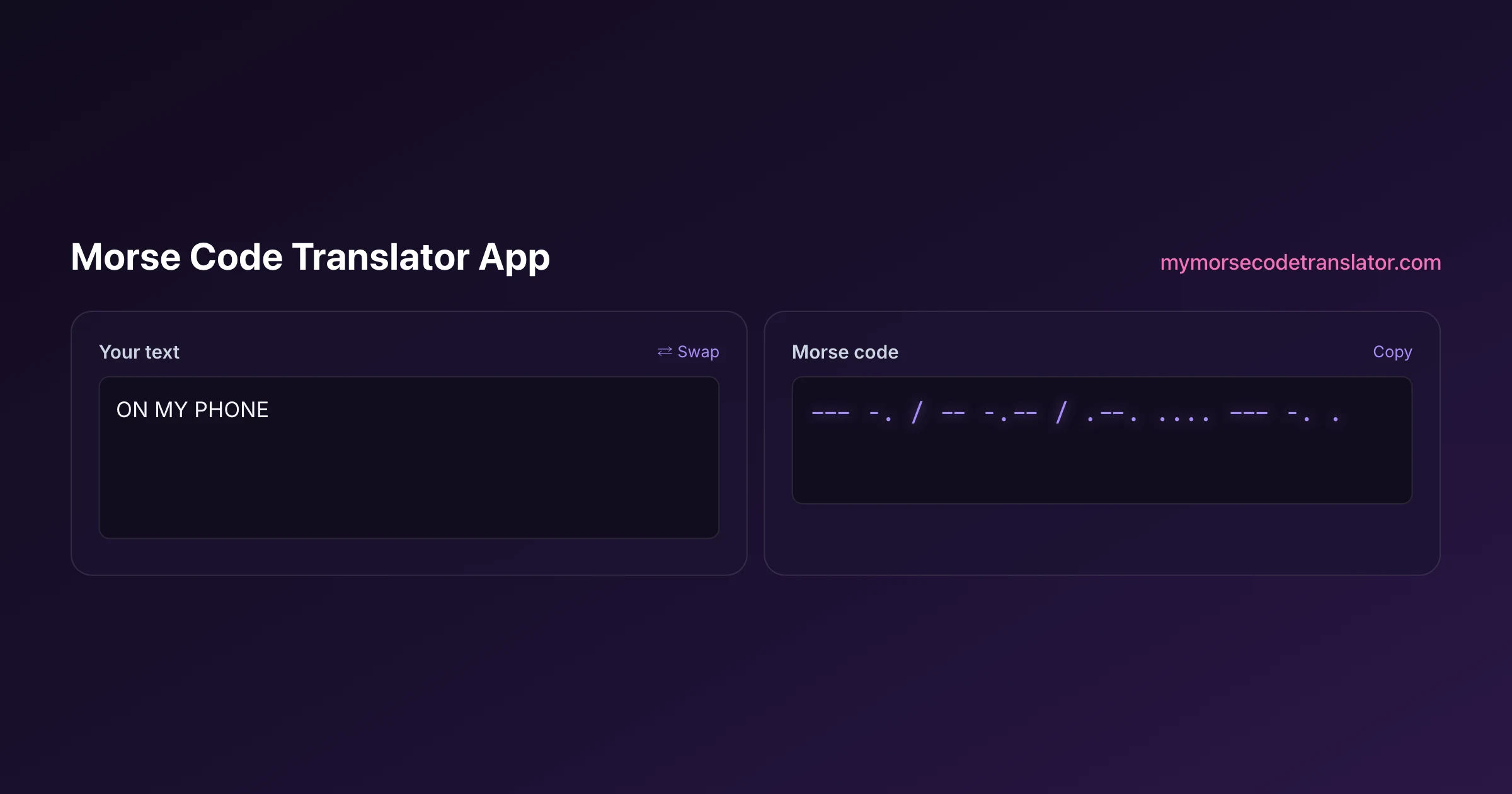
👀 Preview
Press ▶ Play — this shows what you'll see and hear.
Customize your message
Your picture appears in Play and downloaded videos. Note: it can't be included in a shared link — links carry the message only.
Share as a secret message
The message is hidden inside the link and decodes with sound & light when your friend opens it.
Why people reach for an app in the first place
It is worth being honest about what a mobile app promises, because the instinct to download one is reasonable. An app sits on your home screen, so it is one tap away. It usually works offline. It feels permanent and official in a way a web page sometimes does not. For a tool you expect to use every day — say you are grinding toward a ham radio licence — that convenience is real.
But most people are not using a Morse translator every day. They need it for a specific afternoon: a craft project, a tattoo idea, a puzzle for a party, a coded note to a partner, a scene they are writing. For that kind of use, downloading an app is a surprising amount of friction for a job that a web page does in seconds. You search the store, wade through a dozen near-identical listings with three-star ratings, install a 40-megabyte download, dismiss a permissions prompt, close a full-screen ad, and only then get to type. The web version skips every one of those steps. You land on the page and the box is already waiting for your cursor.
So the real question is not "app or website" in the abstract — it is which one removes more friction for what you are actually trying to do. For the vast majority of Morse tasks, the answer is the one you did not have to install.
What Morse apps quietly charge you for
Here is the pattern I noticed when I went through the popular Morse apps before building this. The core converter — type text, see dots and dashes — is almost always free. The moment you want to do anything with the code, a paywall appears.
Commonly locked behind a purchase or subscription:
- Playing the code as audio at all, or playing it faster than a crawl
- Removing ads that flash between every conversion
- Adjusting the speed, pitch, or tone of the beep
- Saving or exporting your message as an audio file
- Using the flashlight or screen-flash to send the code as light
- Decoding Morse back into text, sold as a separate "pro" feature
None of these are expensive to build. They are gated because a paywall is how a free app makes money, and Morse is a small enough niche that the developer needs the revenue. I do not blame them for it. But it does mean the thing you actually wanted — to hear your message, to flash it, to save it — is frequently the exact thing you cannot do until you pay. On this site, every one of those items is simply on, free, with no account and no ads, because the site is supported differently and does not need to hold your features hostage.
The install tax nobody puts in the app description
An installed app costs you more than the download. It asks for permissions — sometimes reasonable ones like microphone access, sometimes vaguer ones you click through without reading. It takes up storage. It can run in the background. It updates on its own schedule, occasionally changing or removing the feature you relied on. And a fair number of free apps fund themselves by collecting data about how you use them and selling it onward, which is a strange trade for a tool that just swaps letters for dots.
A web tool sidesteps most of this. There is nothing installed, so there is nothing taking up space or running when you are not looking. The conversion happens entirely inside your browser tab, so your text is not uploaded anywhere — a point I care about, because people encode private things. You always get the current version simply by reloading, and when you close the tab, the tool is gone with no leftovers. If a friend asks how to use it, you send a link, not a store listing and a set of instructions. That is a genuinely lighter relationship with a piece of software, and for something you might use twice a year it is the right one.
Where a native app does genuinely win
I am not going to pretend the web always wins, because it does not, and you should know the honest trade-offs.
A native app can reach hardware a browser cannot. The clearest example is the camera flash — the actual LED torch on the back of your phone. A web page can flash your screen brilliantly, but on most phones it cannot fire the rear torch, because browsers deliberately restrict that hardware. If your plan is to signal across a dark field with a real flashlight beam, a dedicated app has an edge there.
Apps also handle true offline use more gracefully. A web tool works offline once it is loaded and cached, but an app is designed for it from the start, which matters if you are somewhere with no signal at all, like deep in the backcountry. And an app icon on your home screen is simply faster to reach than typing a URL, if this is a daily habit rather than an occasional need.
So if you are a licensed operator practising every morning, or a hiker who needs a rear-torch signal miles from a cell tower, a good native app earns its place. For nearly everything else — encoding a message, hearing it, flashing the screen, sharing it, learning the alphabet — the browser tool does the whole job with none of the overhead.
Everything the paywall usually hides, already unlocked
The reason I am comfortable comparing this to any app is that the features apps charge for are the ones I leaned into hardest.
Sound is not a locked upgrade here — it is the point. There are six sound packs, and you can adjust speed, pitch, and volume, plus Farnsworth timing that pads the gaps between letters so beginners can actually keep up. You can even record your own sound and use it as the beep, so every dot and dash plays back as your voice, a guitar string, or a duck. I have never found an app that does that.
Light works too: a whole-screen flash that blinks your message in real Morse timing, opt-in because bright flashing can affect people with photosensitive epilepsy, and you can flash your own uploaded photo instead of a blank screen. There is a karaoke and spotlight reveal that lights up each word as it plays, so you can follow along and learn where the letters fall. You can export a vertical MP4 for TikTok, Reels, and Shorts with all your settings baked in. You can download the audio as MP3 or WAV. You can decode Morse from an uploaded image. And you can wrap a message into a secret shareable link that replays your exact settings — sound, reveal, and flash — on the recipient's device, with nothing stored on any server. That last one is the feature I am proudest of, and it exists precisely because no app I tried would let a message travel with its full performance intact.
Whichever app you pick, make sure it uses the international standard for Morse code — the one defined by the ITU (ITU-R M.1677) — so the dots and dashes it produces match what every other operator and tool in the world expects.
Before building this, I downloaded five of the top-rated Morse apps on my iPhone 13 and timed how long it took to hear a single played-back message in each. Three demanded a Pro purchase before the sound would play at all, one buried playback behind a 15-second unskippable ad, and the fastest still took me over two minutes from tapping install to hearing a beep. That afternoon is basically why this site exists.
Frequently Asked Questions
Q. Do I need to install a morse code translator app to use this?
No. This runs entirely in your web browser on any phone, tablet, or computer. There is nothing to download from an app store, no account to create, and no update to install — you open the page and start typing.
Q. Is it really free, or is there a Pro tier?
It is free, and the features that apps typically sell as Pro — audio playback, speed and tone control, flashing, saving files, decoding — are all included. There is no locked upgrade and no paywall between you and the tool's core abilities.
Q. Does it work offline like an app?
Once the page has loaded, the conversion runs locally in your browser, so it keeps working on a patchy or dropped connection. A native app is still built for true offline-first use from the ground up, so for zero-signal backcountry use a dedicated app has a slight edge.
Q. Can it flash my phone's real flashlight?
It flashes your whole screen brightly in Morse timing, which carries well in a room. It generally cannot fire the rear camera LED torch, because browsers restrict that hardware — that is the one thing a native app can do that a web tool usually cannot.
Q. Will my messages be uploaded or tracked?
No. The translation happens inside your browser tab and your text is never sent to a server. That is a real advantage over some free apps, which fund themselves by collecting usage data. Close the tab and nothing is left behind.
Q. Can I hear the code, and change how it sounds?
Yes. Playback is free, with six sound packs plus adjustable speed, pitch, and volume, and Farnsworth timing for learners. You can also record your own sound and use it as the beep — something I have not seen a Morse app offer at any price.
Q. Can I save the audio to send later?
Yes. You can download your message as an MP3 or WAV audio file, or export a vertical MP4 video sized for TikTok, Reels, and Shorts with your chosen settings baked in. Many apps put file export behind a purchase; here it is included.
Q. Does it decode Morse back into text too?
Yes, and it is not a separate paid feature. You can translate dots and dashes back into readable words, and you can even decode Morse from an uploaded image, which is handy for reading code you found in a photo or a screenshot.
Q. Can I add it to my home screen like an app?
On most phones you can, using your browser's "Add to Home Screen" option, which drops an icon that opens the tool in one tap. You get the home-screen convenience of an app without the download, the ads, or the permissions.
Q. How do I share a message with someone who has no app?
Send them the secret Morse link. It carries the whole message and your exact settings — sound, reveal, and flash — inside the URL, so they just tap it and the message replays in their browser. Nothing is stored on a server and they need nothing installed.
Q. Which alphabets and characters does it support?
It uses the international standard tables covering the full Latin alphabet, digits, and common punctuation, and it handles additional alphabets so accented and non-Latin characters do not simply vanish. Anything with no defined Morse equivalent is skipped cleanly rather than mangled.
Related guides
← Back to the My Morse Code Translator home page.

By Sukie
Sukie is the creator of My Morse Code Translator — a puzzle nerd and gadget tinkerer who fell down the Morse code rabbit hole and decided to build the most fun Morse translator on the web. When she's not adding new sound packs or reveal animations, she's decoding hidden messages in songs or designing Morse code bracelets for friends.
Last updated: 2026-08-01