How to Write Morse Code: Spacing, Symbols and a Worked Example
To write Morse code, look up each letter's pattern of dots and dashes, write those patterns in order with one space between letters, and put a slash (/) between words. So HI MOM is written .... .. / -- --- --. That is how to write Morse code that anyone, or any decoder, can read back without guessing. The spaces matter as much as the dots: leave them out and the same marks can spell dozens of different words.
Below are the spacing rules, the characters that work best for dots and dashes on paper and on a phone, a full worked example, and the handful of characters Morse doesn't cover. The translator above writes it for you if you just want the result.
👀 Preview
Press ▶ Play — this shows what you'll see and hear.
Customize your message
Your picture appears in Play and downloaded videos. Note: it can't be included in a shared link — links carry the message only.
Share as a secret message
The message is hidden inside the link and decodes with sound & light when your friend opens it.
Three rules that make written Morse readable
Get these three right and the message is readable by a person with a chart or by any decoder.
1. Write each letter as its pattern of dots and dashes, with nothing inside it. No spaces inside a letter. The letter L is .-.., four marks touching. If a space creeps in, .- .. becomes A followed by I.
2. Put exactly one space between letters. .... .. is H then I. This single space stands in for the three-unit pause that separates letters when Morse is sent as sound or light.
3. Put a slash between words, with a space either side. .... .. / -- --- -- is HI MOM. The slash stands in for the seven-unit pause between words.
Those pauses come from the timing defined in ITU-R Recommendation M.1677: dot one unit, dash three, gap inside a letter one, between letters three, between words seven. Writing has no time, so the two long gaps become a space and a slash. Our own Morse code timing guide covers the sound side of the same ratio.
Our decoder also treats three or more spaces as a word break, but spaces are easy to miscount, so a slash is safer whenever a human will read the message. A vertical bar (|) does not work: .... .. | -- --- -- decodes as HI#MOM.
Which symbols to use for the dot and the dash
Our translator outputs a full stop for a dot and a hyphen for a dash, but print and cards often use nicer-looking characters. Here is how each behaves when you paste it into the Morse code decoder on this site, checked against its code on 14 November 2026:
| Character | Name | Our decoder reads it as | Best for | |
|---|---|---|---|---|
. | full stop / period | dot | typed messages, texts, anything you'll paste | |
· | middle dot | dot | print, cards, designs where a period looks too low | |
• | bullet | dot | bold designs, large print | |
- | hyphen | dash | typed messages, texts | |
– | en dash | dash | print and cards, paired with · | |
— | em dash | dash | wide, dramatic designs | |
_ | underscore | dash | some keyboards, but it sits on the baseline and looks odd next to dots | |
… | single ellipsis character | not a dot: decodes as # | avoid | |
| `\ | ` | vertical bar | not a word break: decodes as # | avoid; use / |
So ·–·· ·– ·–·· and .-.. .- .-.. both decode to LAL in our tool. The pretty version and the plain version are the same code.
Pick one pair and stick to it: a note that switches from · to . halfway through looks as if it means something different. And notice that a period sits on the baseline while a hyphen sits at mid-height; the middle dot · sits level with the dash, which is why the · and – pair looks tidier on paper.
If your keyboard turns three typed periods into a single … character, a decoder can't read it as three dots, so check before you send.
Why `.....` means nothing without spaces
Morse is not a fixed-width code. E is one mark, Q is four, digits are five and punctuation runs to six or seven, so without spaces the reader cannot know where one letter stops.
Take five dots, written with no spaces: ...... Run it against the code table our translator uses and it splits in 16 different ways. A few of them:
.....→ 5 (the digit, all five dots as one character).... .→ HE... . .→ SEE.. ...→ IS. ....→ EH. . . . .→ EEEEE
Fifteen of the sixteen are letters only, and HE, SEE and IS are all real words, so the reader can't rule them out.
Longer strings get worse. The distress pattern written without gaps, ...---..., splits 220 ways against the same table, 192 of them using letters alone. SOS is one of them. So are VTB (...- - -...), EEETTTEEE, and the digit 7 hiding inside EEET7.
The @ sign is .--.-., which is also exactly what you get if you write A and C (.- and -.-.) with no space between them. Wikipedia's Morse code article notes that this AC sequence was the one chosen for @ when the ITU added it to the official set in 2004. The same six marks can also be read as W R or P N.
Word breaks matter too: -.-. .- .-.. .-.. -- . .- - ..... has every letter space but no slashes, and decodes as CALLMEAT5.
The takeaway: when you hand-write Morse, make your letter spaces unmistakably wider than the gaps inside a letter, and never skip the slash.
Writing it by hand: dot size, dash length and gaps
Handwritten Morse usually fails because dashes are too short or letter spaces too narrow. The 1:3:7 timing ratio from ITU-R M.1677 is a good guide on paper as well as in sound, if you treat one dot's width as your unit:
- Dot: a firm, round dot; a faint speck can vanish in a photo or photocopy.
- Dash: about three dot-widths long, kept level at the same height as the dots.
- Gap inside a letter: about one dot-width, just enough that the marks don't touch.
- Gap between letters: about three dot-widths, clearly wider than the gaps inside a letter.
- Gap between words: write a slash, with a letter-width gap each side. If you'd rather not use a slash, leave about seven dot-widths, but a slash is easier to see.
Graph paper helps most: a dot fills one square, a dash spans three, and every gap is a whole number of empty squares the reader can count.
Two more habits that pay off:
- Never break a letter across a line. If
.-..won't fit at the end of a line, move the whole letter down. Splitting it turns one letter into two. - Draft with the letters underneath. Pencil the plain letter under each group, check it, then rub it out. A missing dot is easy to spot when the letter is right there.
Worked example: CALL ME AT 5, step by step
Here is a short message written out the way you'd do it by hand, one character at a time. The patterns are the ones our translator outputs, and the finished line decodes back to CALL ME AT 5 in the site's decoder.
1. Write the message in capitals and split it into words: CALL / ME / AT / 5. Capitals aren't required (Morse has no upper or lower case), but they make the letters easier to look up on the Morse code alphabet chart.
2. Look up the first word letter by letter: C is -.-., A is .-, L is .-.., L is .-... Write them with one space between: -.-. .- .-.. .-..
3. Add a word break: /
4. Second word: M is --, E is .. Written: -- .
5. Another word break, then the third word: A is .-, T is -. Written: .- -
6. The number: every digit is five marks. 5 is five dots: .....
7. Put it together: -.-. .- .-.. .-.. / -- . / .- - / .....
8. Check it. Paste the line into the translator above or into the decoder. If any letter comes out as #, a pattern has a mark too many or too few; if two words run together, a slash is missing.
The same message in the print-friendly style reads –·–· ·– ·–·· ·–·· / –– · / ·– – / ·····, and it decodes to exactly the same text.
Notice step 6: those are the same five dots that split 16 ways unspaced. Here the slash before them makes them unambiguous.
For practice, write your own name, then compare it letter by letter with our English to Morse code translator.
Numbers, punctuation and characters Morse doesn't have
Numbers. Every digit is exactly five marks, and they follow a pattern: 1 to 5 start with dots and fill with dashes (1 is .----, 2 is ..---, up to 5 at .....), and 6 to 0 start with dashes and fill with dots (6 is -...., up to 0 at -----). Write 2026 as one group per digit: ..--- ----- ..--- -..... Wikipedia's Morse code article describes shortened "cut numbers" that radio operators sometimes use, but they only work when both sides already know numbers are coming, so don't use them in a note for someone else. Our Morse code numbers page has the full set.
Common punctuation. These come from the code table our translator uses:
- Full stop
.-.-.- - Comma
--..-- - Question mark
..--.. - Apostrophe
.----. - @
.--.-.(formally added to the official set by the ITU in 2004, according to Wikipedia)
Characters with no official code. Wikipedia notes that !, $ and & are not defined in the ITU-R recommendation, though informal conventions exist. Our translator writes the common conventions (-.-.-- for !), but a strict chart may not list them. For a percent sign, Wikipedia gives the recommended form as the number, a hyphen, then 0/0, so 4% is written as 4-0/0: ....- -....- ----- -..-. -----. If you type % into our translator it comes out as #.
The slash, twice over. A slash between words is just notation. It isn't sent. If your message actually contains a slash, like 4/5, the character is written -..-., so 4/5 becomes ....- -..-. ...... Don't confuse the two.
Accents, emoji and lowercase. International Morse has no upper or lower case, so there's nothing to write for capitals. According to Wikipedia, characters with diacritics and non-Latin letters aren't in ITU-R M.1677-1 (Ę is the one exception), and emoji have no Morse at all. Write accented letters as their plain versions, so é becomes E.
Writing it for someone else: notes, cards, texts and copying
A handwritten note or puzzle. Use dots and dashes you can draw consistently, slashes between words, and graph paper if you have it. If the reader isn't a Morse fan, tuck a small chart in with it, or point them to our how to read Morse code guide.
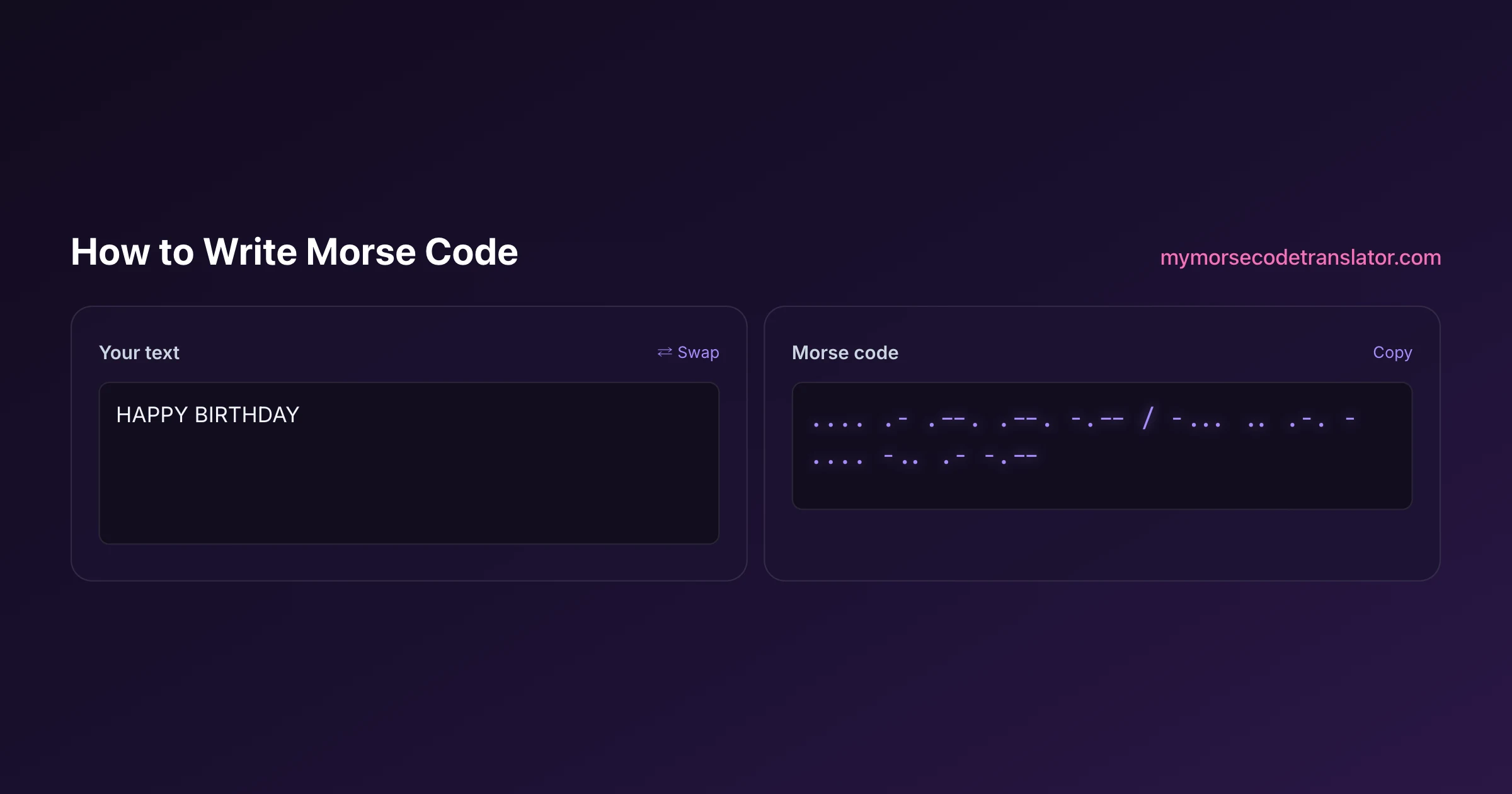
A greeting card. Short messages work best. A line like HAPPY BIRTHDAY is .... .- .--. .--. -.-- / -... .. .-. - .... -.. .- -.--, already thirteen letters and forty-one marks. Middle dots and en dashes (· and –) look more deliberate on card than full stops and hyphens.
A text message or chat. Use plain full stops and hyphens, one space between letters and a slash between words. Before sending, look for a single … where you typed three dots, or a long dash where you typed hyphens. Our decoder accepts the long dash, but the ellipsis character breaks it. If you want to type Morse straight into a phone, our Morse code keyboard page explains the options.
Copying Morse you hear. Wikipedia's article describes early telegraph operators translating the receiver's clicks into dots and dashes and writing them down by hand. Later training found that people receive better when each code is learned "like a language", as a whole sound rather than as a sequence of dots and dashes on a page. In operator language, receiving is "copying", and what gets copied is letters, numbers and punctuation. If you are just starting, writing the dots and dashes and decoding them afterwards is fine. As you speed up, try writing the letter straight away instead.
On 14 November 2026, for this page, the unspaced readings were computed by splitting `.....` and `...---...` every possible way against the site's own code table in lib/morse.ts (16 and 220 readings). Every worked example, including the `·` and `–` version of CALL ME AT 5 and the `|` and `…` failures, was run through the decoder's actual code to confirm what it outputs.
Frequently Asked Questions
Q. Is there a Morse code writer that does it for me?
Yes. Type your message into the translator at the top of this page and it writes the Morse instantly, using a full stop for each dot, a hyphen for each dash, one space between letters and a slash between words. You can copy the result, play it as sound or flash it as light. Paste Morse into the same box to turn it back into text.
Q. Do I need to write Morse code in capital letters?
No. Morse has no upper or lower case: A and a share one pattern, .-. Our translator changes everything to capitals before encoding, which is why decoded messages always come back in capitals. If capitals matter in your message, they're lost in Morse, so write the message so it reads naturally without them.
Q. How do you write a space in Morse code?
Between letters, use one space. Between words, use a slash with a space either side, as in .... .. / -- --- -- for HI MOM. Three or more spaces also mark a word break in our decoder, but a slash is much easier to see on paper. There's no Morse pattern for a space itself; it's a pause, and the slash is how we write that pause.
Related guides
← Back to the My Morse Code Translator home page.

By Sukie
Sukie is the creator of My Morse Code Translator — a puzzle nerd and gadget tinkerer who fell down the Morse code rabbit hole and decided to build the most fun Morse translator on the web. When she's not adding new sound packs or reveal animations, she's decoding hidden messages in songs or designing Morse code bracelets for friends.
Last updated: 2026-11-19